WCAGScanner — the full-power desktop scanner, on your own machine.
Everything the web scanner does, plus deep-crawl control, drag-and-drop document scanning, an interactive Preview tab, POUR reports for compliance officers, and unlimited local scans — no per-report fees.
Buy WCAGScanner
A full accessibility testing workstation, not just a scan.
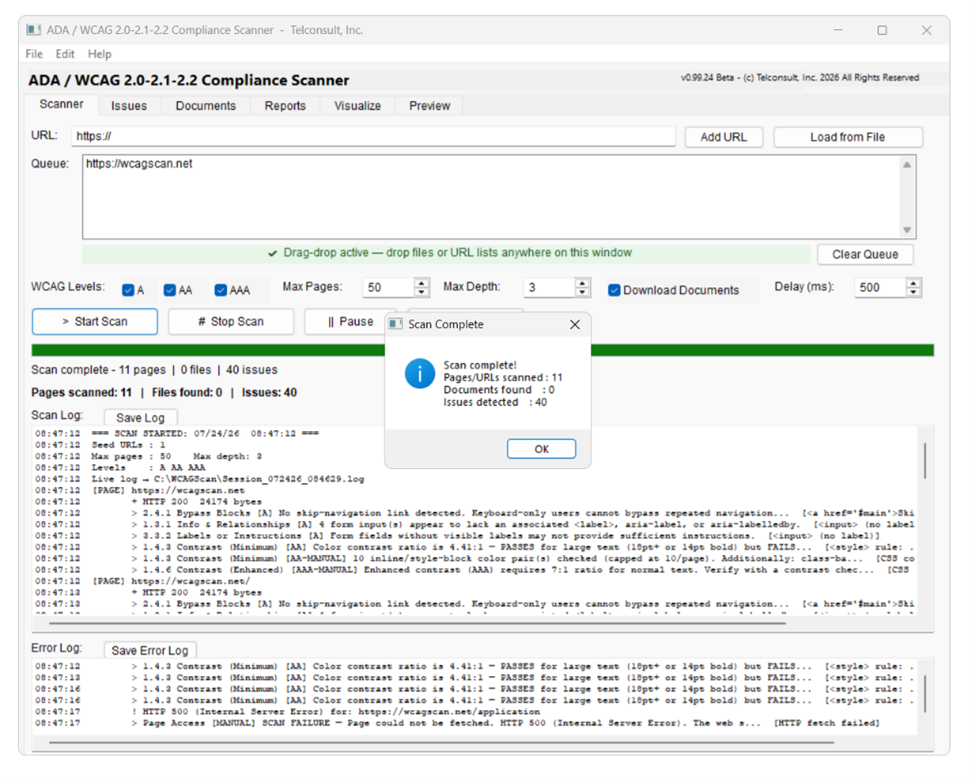
Scanner Tab
Queue URLs manually, load a list from file, or let automatic crawling discover pages within your domain and depth limit. Drag and drop PDFs, DOCX, PPTX, or URL lists directly onto the window.
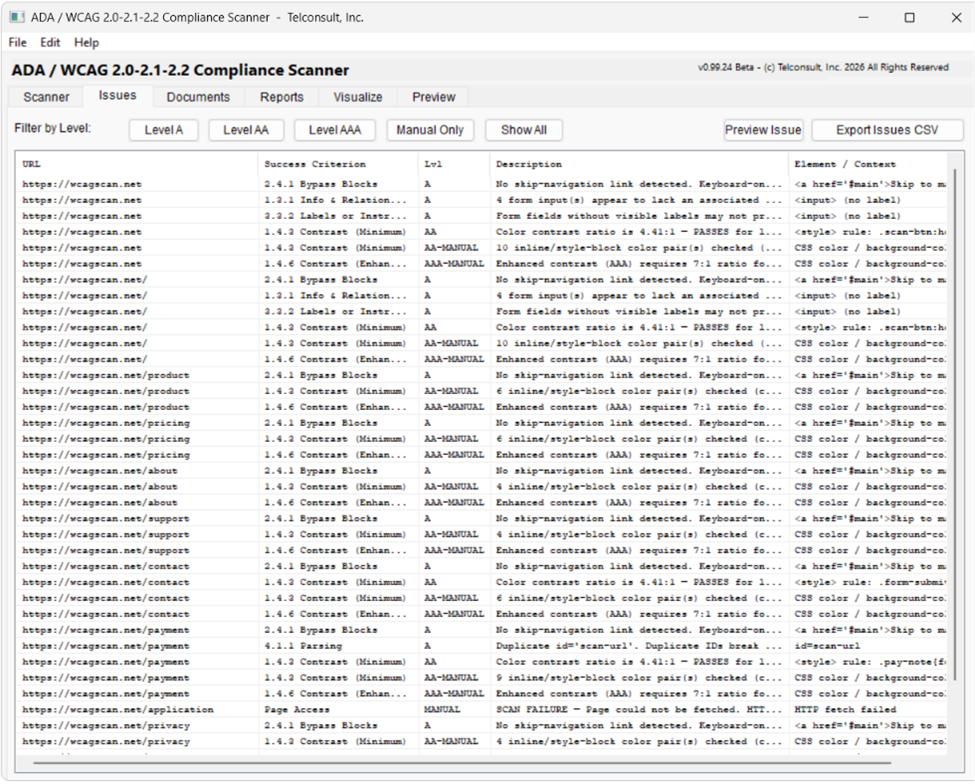
Issues Tab
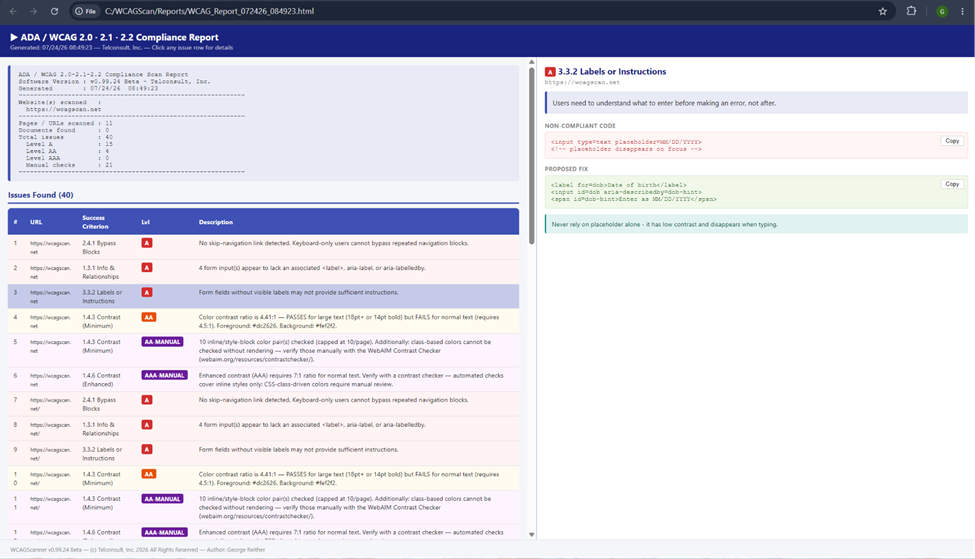
Every violation in a filterable, sortable grid — URL, success criterion, level, plain-language description, and the exact element or context. Export filtered results to CSV.
Documents Tab
Every PDF, DOCX, PPTX, and XLSX discovered during crawl, with automated checks run on download.
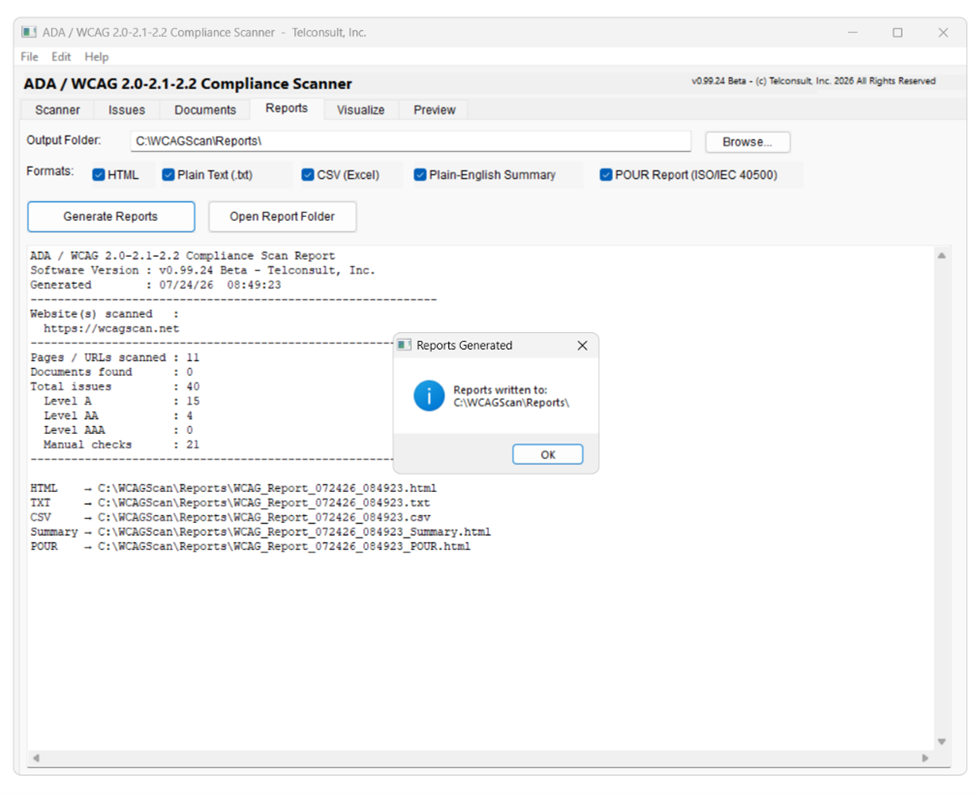
Reports Tab
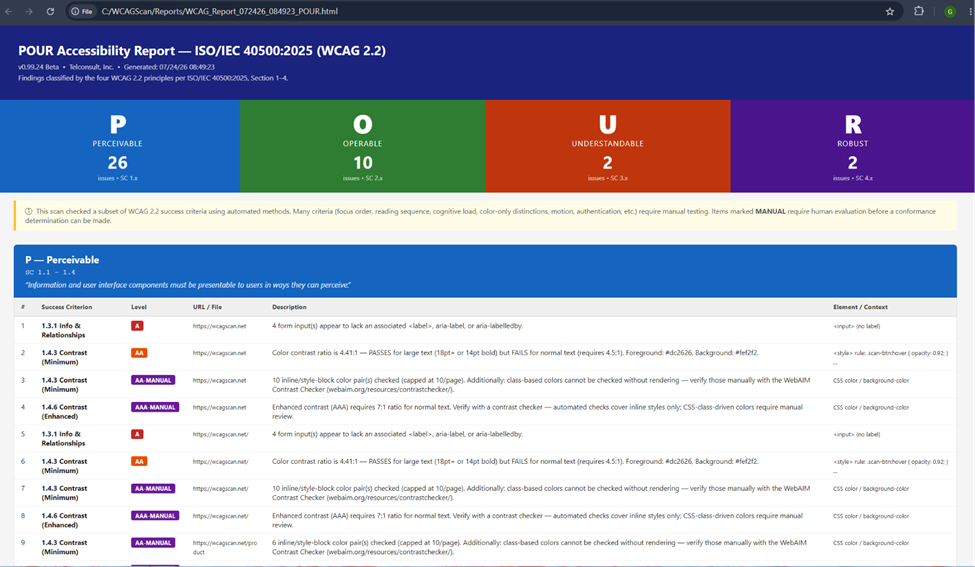
HTML, plain text, and CSV report formats — plus the POUR Report, classifying every issue under ISO/IEC 40500:2025's four principles for compliance officers and executives.
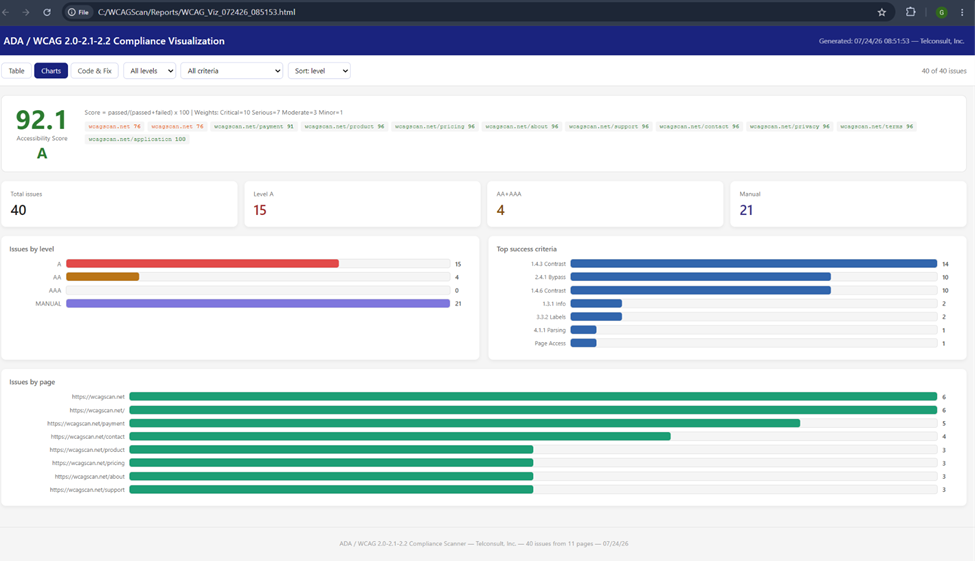
Visualize Tab
Interactive Table, Charts & Score, and Code & Fix views in one self-contained HTML file. Export the whole thing to PDF with one click — no printer driver required.
Preview Tab
Double-click any issue to open three browser tabs: the live page, the issue highlighted in red, and a proposed fix highlighted in green — generated automatically for nine success criteria.
A look inside the application.
How a scan discovers and walks a site.
-
Seed & domain lock
The starting URL is canonicalized and its domain becomes the crawl boundary for the entire scan.
www.and bare-domain hosts are treated as equivalent; any link off that domain is recorded but never fetched. -
Breadth-first traversal
Pages are crawled level by level from a first-in, first-out queue — every page at depth 1 is visited before depth 2 begins — rather than following one link chain deep before backing out.
-
URL canonicalization & de-duplication
Every discovered link is normalized before it's queued: relative paths are resolved against the page they were found on, trailing slashes are stripped, and
#fragmentsare removed. Each normalized URL is checked against a visited set, so/productand/product/, or a nav logo linking back to the homepage, register as one page — not two. -
Depth & page limits
The crawl stops once it hits the configured max depth or max page count. A page already in progress always finishes its own checks before the crawl halts.
-
Content routing by extension
Static assets (CSS, JS, images, fonts, video, archives) are skipped outright.
.pdf,.docx,.pptx, and.xlsxlinks are queued as documents rather than crawled as pages. Everything else is treated as an HTML page and scanned. -
Document pass
Once the HTML crawl finishes, every discovered document is downloaded once and run through format-specific checks — tagging and structure tree for PDF, heading styles and alt text for DOCX, slide titles and alt text for PPTX.
-
Politeness delay
A configurable delay is inserted between requests (halved for documents) so the scanner doesn't hammer the target server during a large crawl.
Automated checks across HTML, PDF, Word, and PowerPoint.
| Format | Checks performed | Levels |
|---|---|---|
| HTML pages | 16 success criteria — alt text, form labels, contrast flags, skip navigation, page titles, link purpose, headings, language, duplicate IDs, accessible names, and more | A AA AAA |
| PDF documents | 9 automated checks — tagging, structure tree, language, title, image alt text, table headers, form field labels, bookmarks, tab order | A AA |
| Word (DOCX) | Heading styles, image alt text, table headers, document title, document language | A |
| PowerPoint (PPTX) | Slide titles, image alt text, speaker notes, document title, document language | A |
Runs standalone — nothing else to install.
- Operating System Windows 10 or Windows 11 (64-bit)
- Runtime No separate runtime — all dependencies are bundled in the installer
- PDF Export No additional software required
- Network Internet access for remote sites; local file scanning works fully offline
- Disk Space ~15 MB application, plus space for reports and downloaded documents
Own the tool your team uses every day.
One license, unlimited local scans, lifetime updates within the major version.
Buy WCAGScanner — $1,049